When working with Terraform, one of the essential commands that I rely on during every deployment cycle is terraform plan. This command is like a crystal ball that helps me preview changes before they are made to my infrastructure, ensuring that no unexpected modifications slip through the cracks.
Let me walk you through the significance of the terraform plan command and why it has become such a crucial step in managing infrastructure with Terraform.
What does terraform plan do?
At its core, terraform plan generates an execution plan, showing me a detailed outline of the changes Terraform will make to reach the desired state of my infrastructure. When I define new resources, modify existing ones, or remove obsolete infrastructure components, terraform plan reveals these changes in a clear, structured format.
This command essentially answers the question: “What would happen if I applied this Terraform configuration right now?”
Why is terraform plan so important?
Here’s why I consider running terraform plan a best practice, no matter how small the changes might seem:
Previewing Changes: Before any actual changes are applied, terraform plan gives me a detailed breakdown of what will be created, modified, or destroyed. This is especially useful in large-scale environments where unintended modifications can lead to costly downtime or even data loss.
Risk Mitigation: In cloud environments, making infrastructure changes can sometimes feel like a high-stakes operation. Running terraform plan allows me to detect and prevent misconfigurations or undesirable changes before they’re actually implemented. It’s my safety net.
Collaboration and Review: In teams, sharing the output of terraform plan enables collaborative review. Colleagues can review the proposed changes, give feedback, or raise concerns before moving forward. This collaborative approach helps ensure alignment and minimizes the risk of miscommunication.
Reading the Output
The output of terraform plan is divided into three sections: Add, Change, and Destroy.
- Add (green plus sign
+): Indicates new resources that Terraform will create. - Change (yellow tilde
~): Marks resources that will be updated or modified. - Destroy (red minus sign
-): Highlights resources that Terraform will delete.
In below example, I’m creating a resource group in Azure.
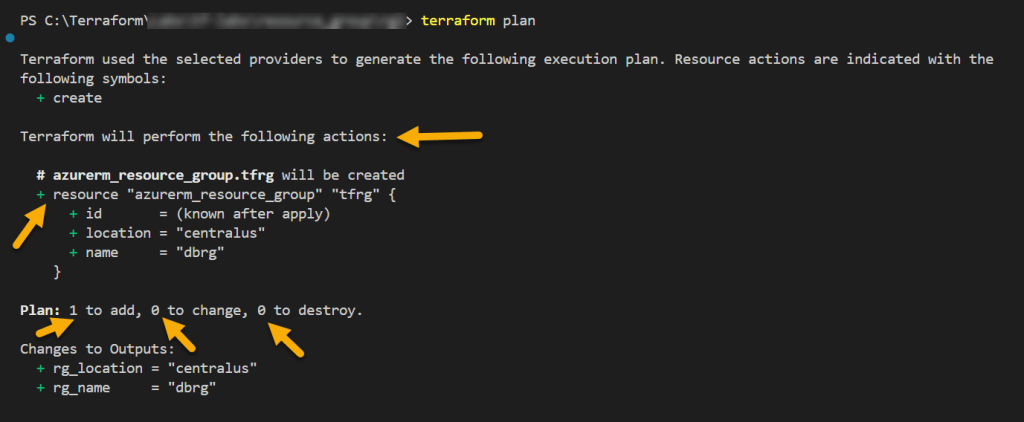
In this specific example, you see add resource (which is resource group creation) and shows as 1 to add. Change or destroy doesn’t exists and so only it shows as 0 to change, 0 to destroy.
Please make a note of below note if you are not saving terraform plan.

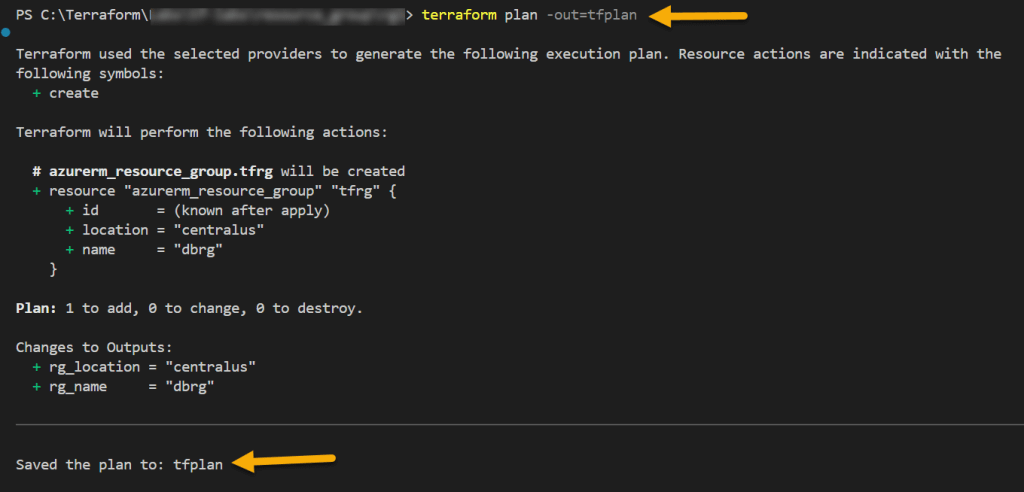
If you would like to save terraform plan to a file, use below command.
terraform plan -out=<name of the file>
Happy Learning 🙂

